QuickBooks Online Integration
Connect Jofotara with QuickBooks Online to automate posting of Invoices, Sales Receipts, Credit Memos, and Refund Receipts—with clear Posted/Not Posted tracking, exports, and dashboards.
Trial Available
How it works
- Sign up (or login).
- Connect your QuickBooks Online company using Intuit’s secure OAuth— UptodateSoft never sees your QuickBooks password.
- Pick a date range or documents, then post to Jofotara with one click.
- Print posted documents with QR code and share them with customers.
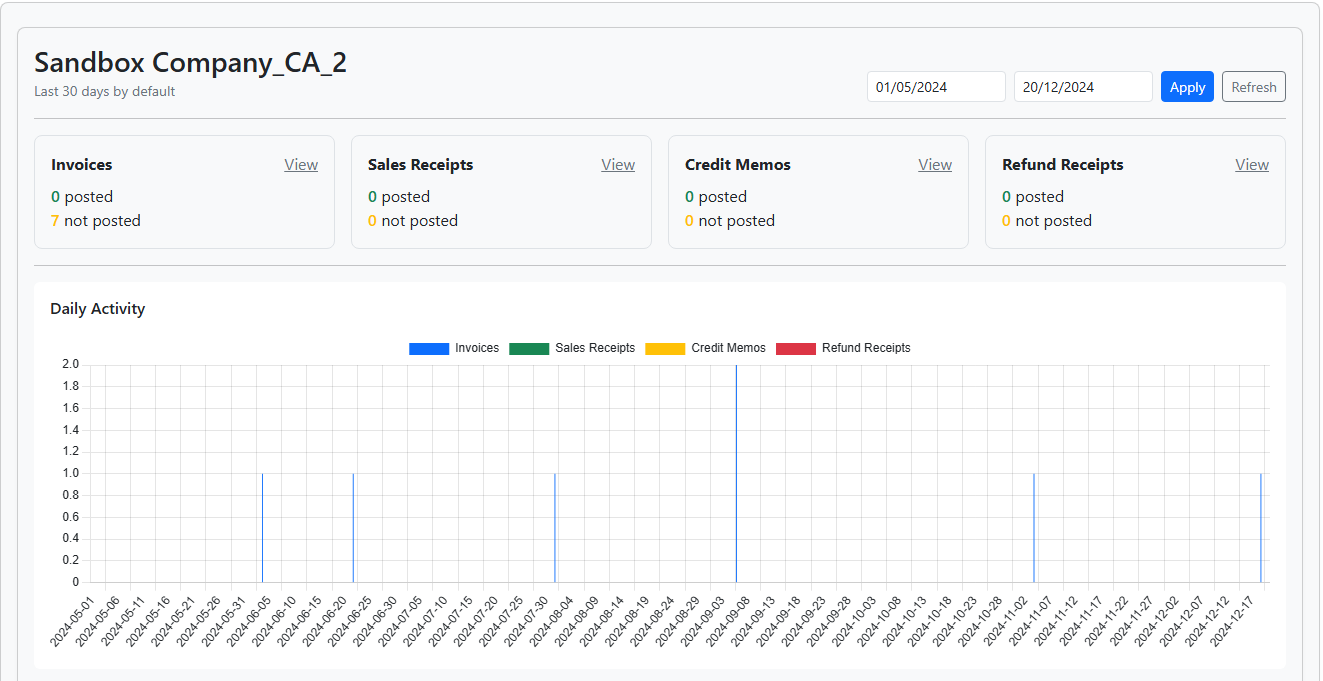
- Track Posted vs. Not Posted, drill down, and export CSV from the built‑in dashboard.
Key features
One‑click posting
Send invoices, sales receipts, credit memos, and refund receipts directly to Jofotara—fast and error‑free.
Print with QR code
Documents are ready to be downloaded and shared on spot - You can add your company logo also!
Posted/Not Posted tracking
See exactly what made it to Jofotara and who posted it—filter, search, and drill down to details.
CSV export & reports
Export filtered lists and summaries for audits, reconciliation, and team sharing.
Secure OAuth connection
Connect via Intuit’s secure OAuth flow. You control what’s shared, and you can disconnect anytime.
Support & onboarding
We’ll help you get connected, map your process, and go live quickly.
Security & privacy
- OAuth 2.0 connection via Intuit’s secure flow (no QuickBooks passwords stored).
- HTTPS enforced end‑to‑end.
- Fine‑grained access: revoke tokens or disconnect anytime within the app.
- Data retention aligned with your policy—contact us for custom needs.
Pricing
Start with a free trial. Contact us for trial key and for pricing.
FAQ
Ready to connect?
Create your account and connect with QuickBooks Online in minutes.